
QuantVPS vs Hostinger 2026: Which VPS Wins for Trading?

QuantVPS wins for traders who need a pre-configured, low-latency trading environment.
Hostinger wins on price and flexibility for general-purpose server use. This is not a close contest for automated trading — but the price gap is significant enough that budget-conscious traders should understand the trade-offs.
Here is the full QuantVPS vs Hostinger comparison.
QuantVPS vs Hostinger: The 60-Second Verdict
| Feature | QuantVPS | Hostinger VPS | Winner |
|---|---|---|---|
| Cheapest plan | $59.99/mo | ~$5-10/mo | Hostinger ✓ |
| Trading platform support | 6+ platforms pre-configured | None — manual install required | QuantVPS ✓ |
| Windows Server included | Yes — full RDP | No — Linux default, Windows costs extra | QuantVPS ✓ |
| Server locations for trading | Chicago, NYC, London, Dublin | 8+ global locations | Hostinger ✓ (more locations) |
| Exchange proximity | <0.52ms to CME (Chicago) | Not optimised for exchange proximity | QuantVPS ✓ |
| Uptime SLA | 99.999% | 99.9% | QuantVPS ✓ |
| Setup time for trading | 10 minutes | 2-4 hours (manual config) | QuantVPS ✓ |
| Best for | Automated trading | General-purpose servers, web hosting | Depends on use case |
QuantVPS Overview
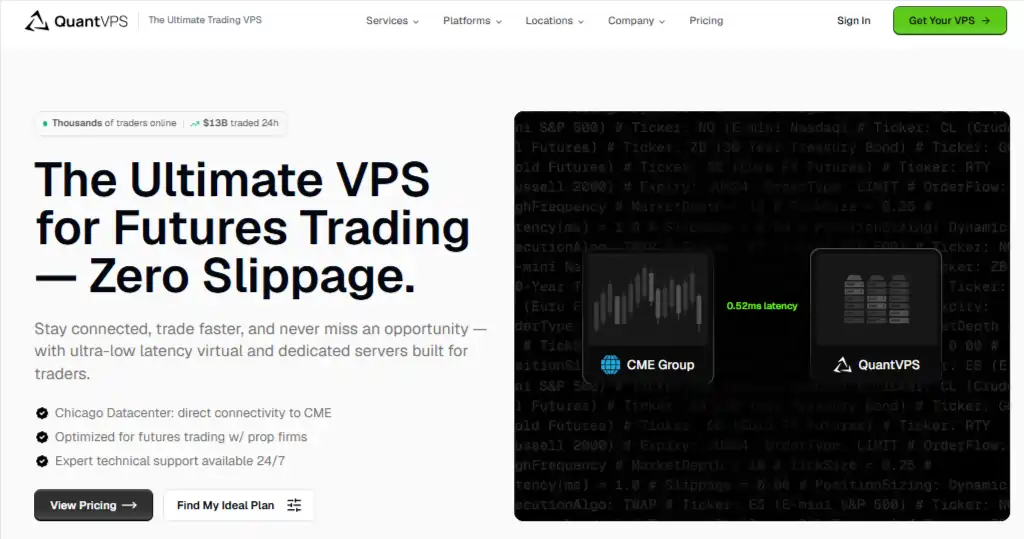
QuantVPS is purpose-built for algorithmic trading. Every server comes with Windows Server pre-installed, Remote Desktop configured, and the infrastructure positioned within milliseconds of major financial exchanges.
You sign up, connect via RDP, install your trading platform, and you are live. The entire process takes under 15 minutes.
The trade-off is price — QuantVPS starts at $59.99/mo ($41.99/mo with the AFF30 coupon), which is significantly more expensive than a basic Hostinger VPS.
You are paying for specialisation, convenience, and exchange-grade infrastructure.
Hostinger VPS Overview
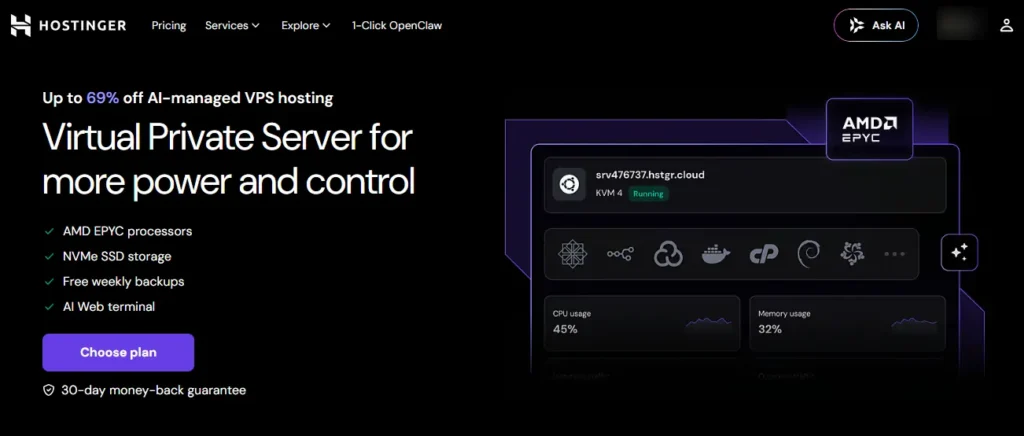
Hostinger is a general-purpose web hosting and VPS provider. Their VPS plans start as low as $5-10/month and provide a Linux-based virtual server that you can configure for any purpose — web hosting, development, game servers, or yes, trading. But trading is not what Hostinger's VPS is built for.
To run MT4 or NinjaTrader on a Hostinger VPS, you need to: purchase a Windows Server licence separately, install and configure RDP, install your trading platform manually, configure firewall rules, and manage security updates yourself.
This process takes 2-4 hours for someone familiar with server administration and significantly longer for beginners.
Get 10% OFF Hostinger VPS
Use code AFFMAVEN10 to save extra on Hostinger VPS plans — a cheap DIY option for budget traders who can set up their own trading server
AFFMAVEN10
QuantVPS vs Hostinger: The Raw Latency Faceoff
1. Trading Platform Support
QuantVPS: MT4, MT5, NinjaTrader 8, TradeStation, Tradovate, Quantower, MultiCharts — all supported on pre-configured Windows Server environments. Install your platform and connect to your broker in minutes.
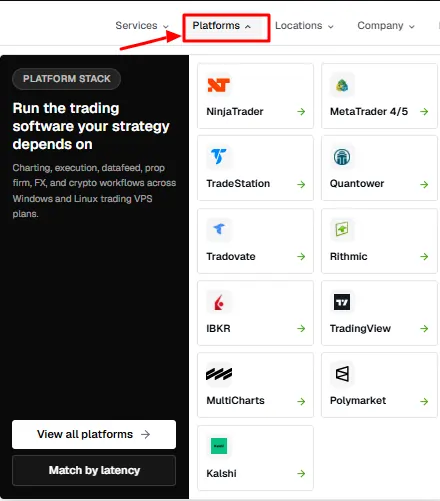
Hostinger: No trading platform support. You get a bare Linux server by default. Running trading platforms requires purchasing and installing Windows Server, then manually configuring everything.
Hostinger's support team cannot help you set up MT4 or NinjaTrader — it is outside their scope.
2. Latency and Exchange Proximity
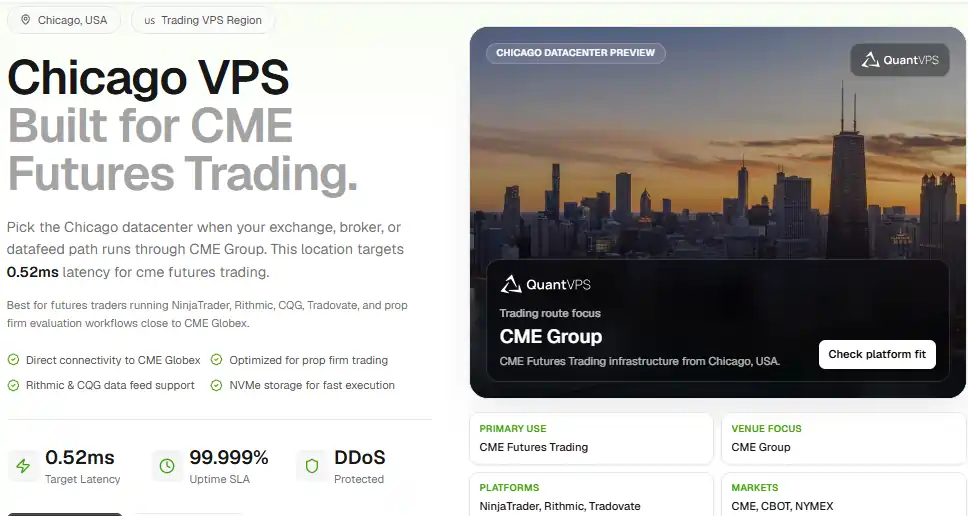
QuantVPS places servers specifically for financial market proximity. The Chicago data centre sits <0.52ms from CME Group exchange servers. New York servers are 0-2ms from NYSE and NASDAQ.
Hostinger's data centres are positioned for web traffic, not financial exchange proximity. While Hostinger has US and European locations, they are not optimised for sub-millisecond trading connectivity.
You might get 5-20ms to exchange servers — fine for manual trading but a real disadvantage for automated strategies where fill price matters.
3. Pricing
This is where Hostinger wins decisively. Hostinger VPS plans start at approximately $5-10/month — a fraction of QuantVPS's $59.99/mo entry point.
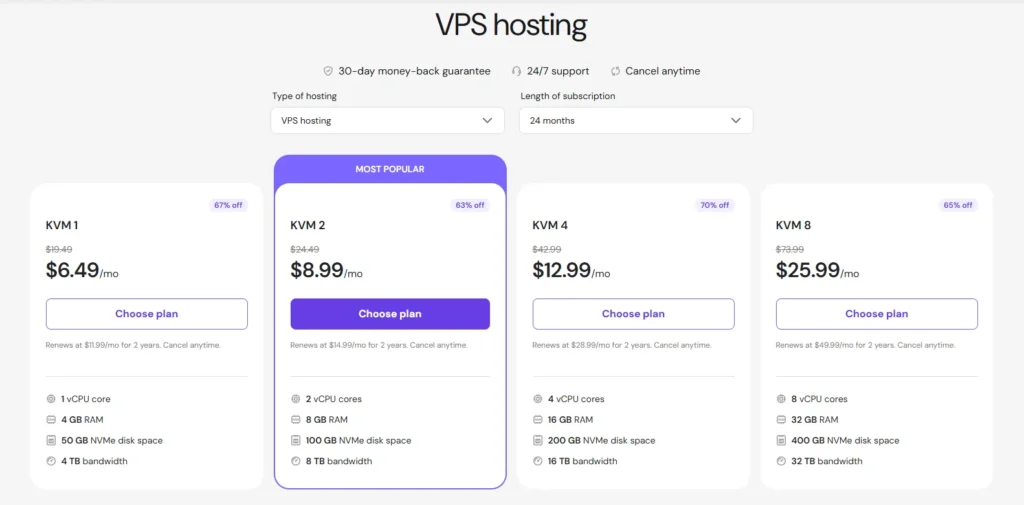
Even after adding a Windows Server licence ($10-20/mo extra), a Hostinger trading setup might cost $16-26/mo total compared to QuantVPS Lite at $59.99/mo (or $41.99 with AFF30).
The question is whether the $15-25/mo savings is worth 2-4 hours of setup time, ongoing server maintenance, no trading-specific support, and significantly higher latency to exchanges.
4. Uptime
QuantVPS: 99.999% SLA (under 6 minutes downtime/year).
Hostinger: 99.9% SLA (up to 8.76 hours downtime/year).
That is a massive difference. For web hosting, 99.9% is acceptable — a few hours of downtime per year does not usually cost you money.
For automated trading, 8+ hours of potential downtime per year means missed trades, stuck positions, and potential losses.
The Real Question: DIY vs Purpose-Built
The QuantVPS vs Hostinger debate is really about whether you want to build your own trading server or pay for one that is ready to go.
Cheap DIY Hosting vs. Pre-Configured Costs
| Cost Component | QuantVPS Lite | Hostinger VPS + Windows |
| Server | $59.99/mo | ~$6.49/mo |
| Windows licence | Included | ~$10-20/mo extra |
| Trading setup | Pre-configured | DIY (2-4 hours) |
| With AFF30 coupon | ~$41.99/mo | N/A |
| Total monthly | $41.99-59.99/mo | $16.49-26.49/mo |
With AFF30 applied, the actual price difference between QuantVPS and a properly configured Hostinger trading setup is $15-25/mo.
For that difference, you get pre-configured trading environments, 100x better uptime SLA, sub-millisecond exchange latency, and zero server administration overhead.
Frequently Asked Questions
Should I use QuantVPS or Hostinger for trading?
For automated trading that needs 24/7 uptime and low latency, QuantVPS is the clear choice. For manual swing trading on a tight budget where you are comfortable with server setup, Hostinger can work but requires significantly more technical effort.
Can I run MT4 on Hostinger?
Technically yes, but you need to install Windows Server (extra cost), configure Remote Desktop, install MT4 manually, and manage the server yourself. QuantVPS does all of this for you out of the box.
Is Hostinger fast enough for algo trading?
Hostinger's data centres are not positioned for exchange proximity. You will get higher latency to CME, NYSE, and forex broker servers compared to QuantVPS. For scalping or high-frequency strategies, this latency difference affects your fill prices. For slower strategies (swing, position), it is less critical.
Is QuantVPS worth the extra cost over Hostinger?
If you run automated strategies that need reliable 24/7 execution, yes. The 99.999% uptime SLA, sub-millisecond latency, and zero setup overhead justify the $15-25/mo premium (with AFF30 applied). If you are a casual manual trader, the extra cost may not be justified.
Does Hostinger offer Windows VPS?
Hostinger primarily offers Linux VPS. Windows Server can be installed but requires a separate licence purchase, which adds $10-20/mo to the base VPS cost.
The Final Verdict: Which Forex Server Wins Your Money?
For trading — QuantVPS wins. The specialisation, uptime guarantee, exchange proximity, and pre-configured environments make it the right tool for the job.
With AFF30 bringing the price gap down to $15-25/mo versus a properly configured Hostinger setup, the value proposition is strong for any trader running automated strategies.
For general-purpose server use that includes some light manual trading, Hostinger's flexibility and lower base price make it a reasonable budget option — just understand that you are trading convenience, uptime, and latency for a lower monthly bill.
For our full assessment, see our QuantVPS review. For current discount codes, visit our QuantVPS coupon code page.

